

Reconciliation and Finance
The Reconciliation & Financials module helps you monitor cash flow, track account balances, manage bank payouts, and download financial reports for seamless accounting reconciliation.
Balance Tracking & Account Overview
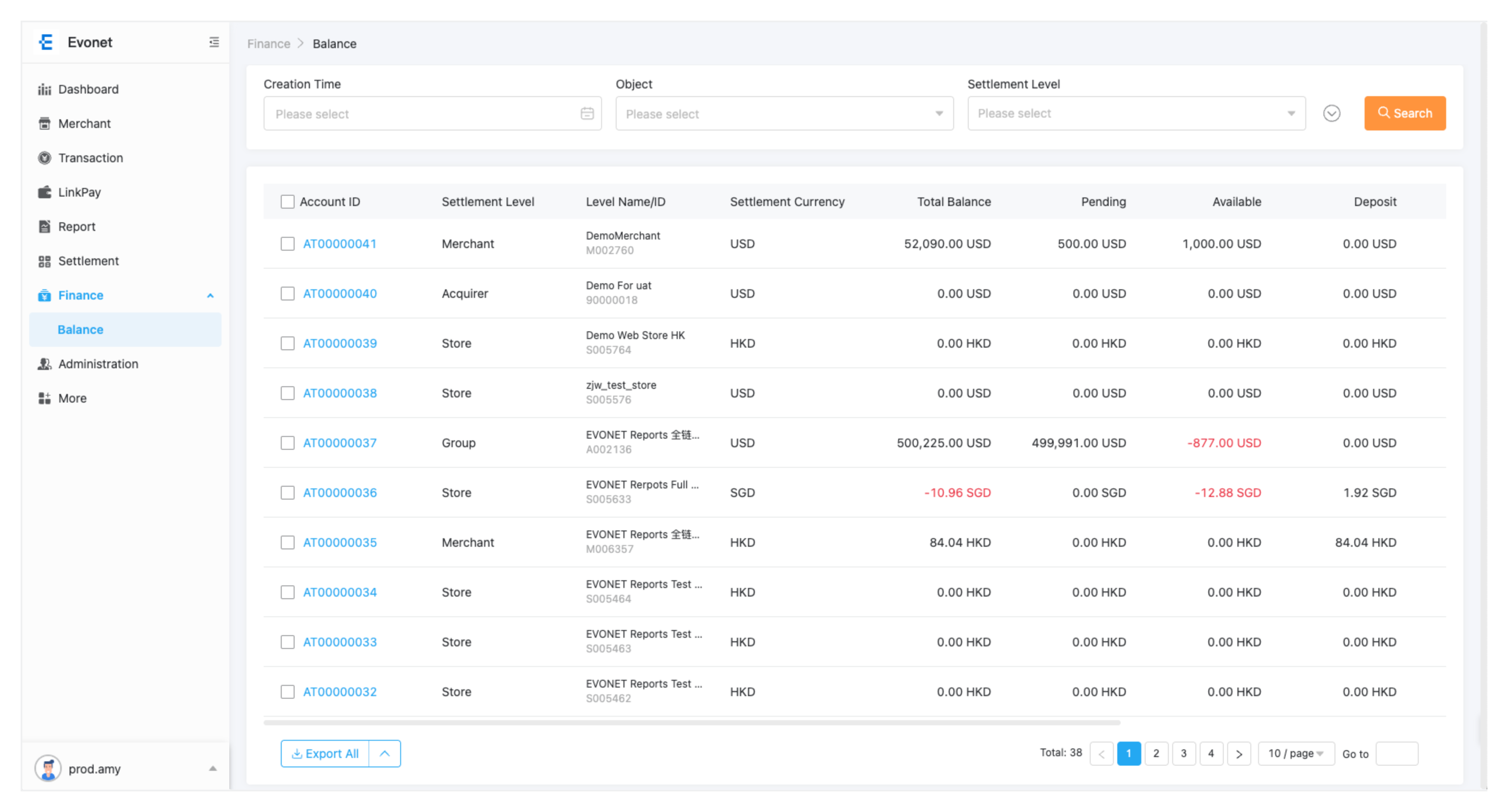
Understanding Your Balances
| Balance Type | Description |
|---|---|
| Available Balance | Cleared funds ready for payout or transfer to your linked bank account. |
| Pending / Processing Balance | Recently captured transactions that are currently within the standard settlement holding period. |
| Total Balance | The combined sum of your Available, Pending, and Reserve balances across all active store accounts. |
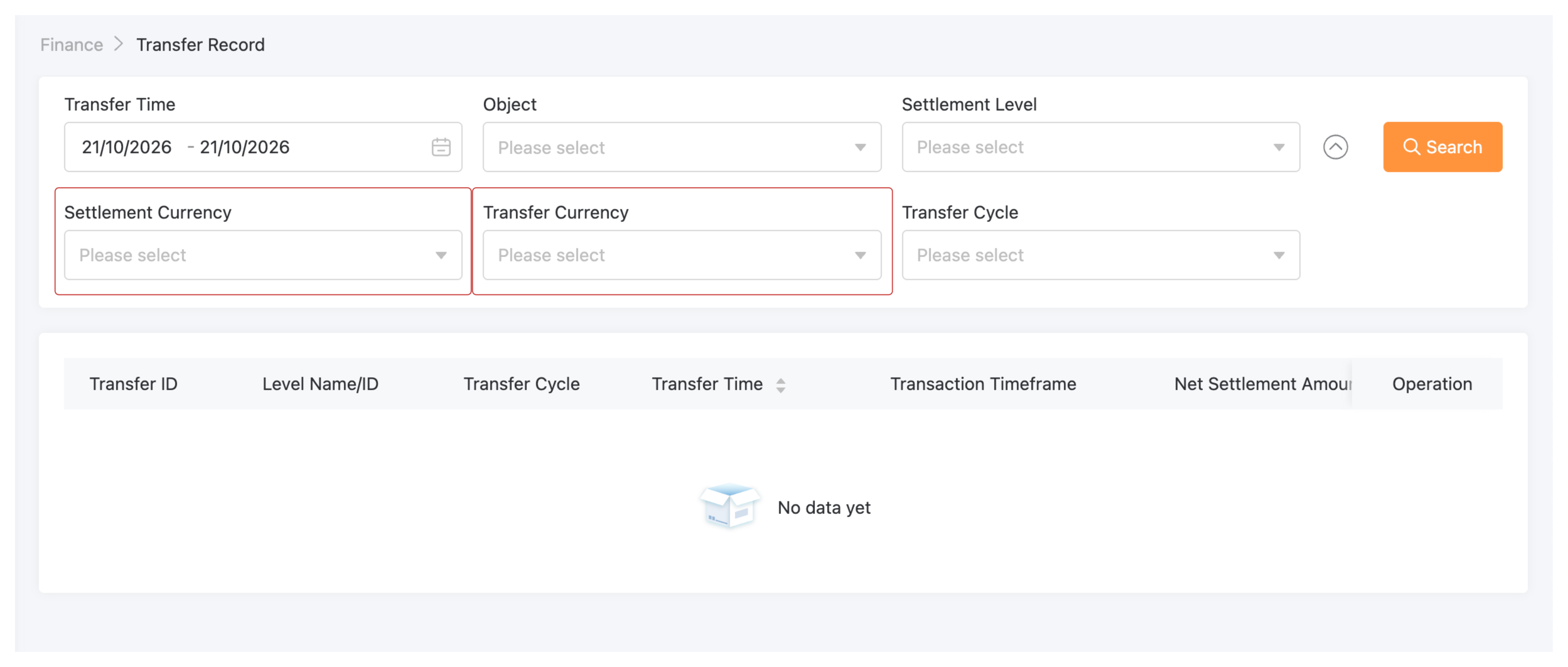
Multi-Currency Tip:Use the Currency Selector dropdown at the top of the dashboard to filter balances by specific processing currencies (e.g., USD, EUR, HKD).
Finance & Settlement: Balance Overview
The Balance Overview page (Finance → Balance → Overview) provides a real-time summary of your current merchant balances, rolling holds, deposit details, and statement activity.
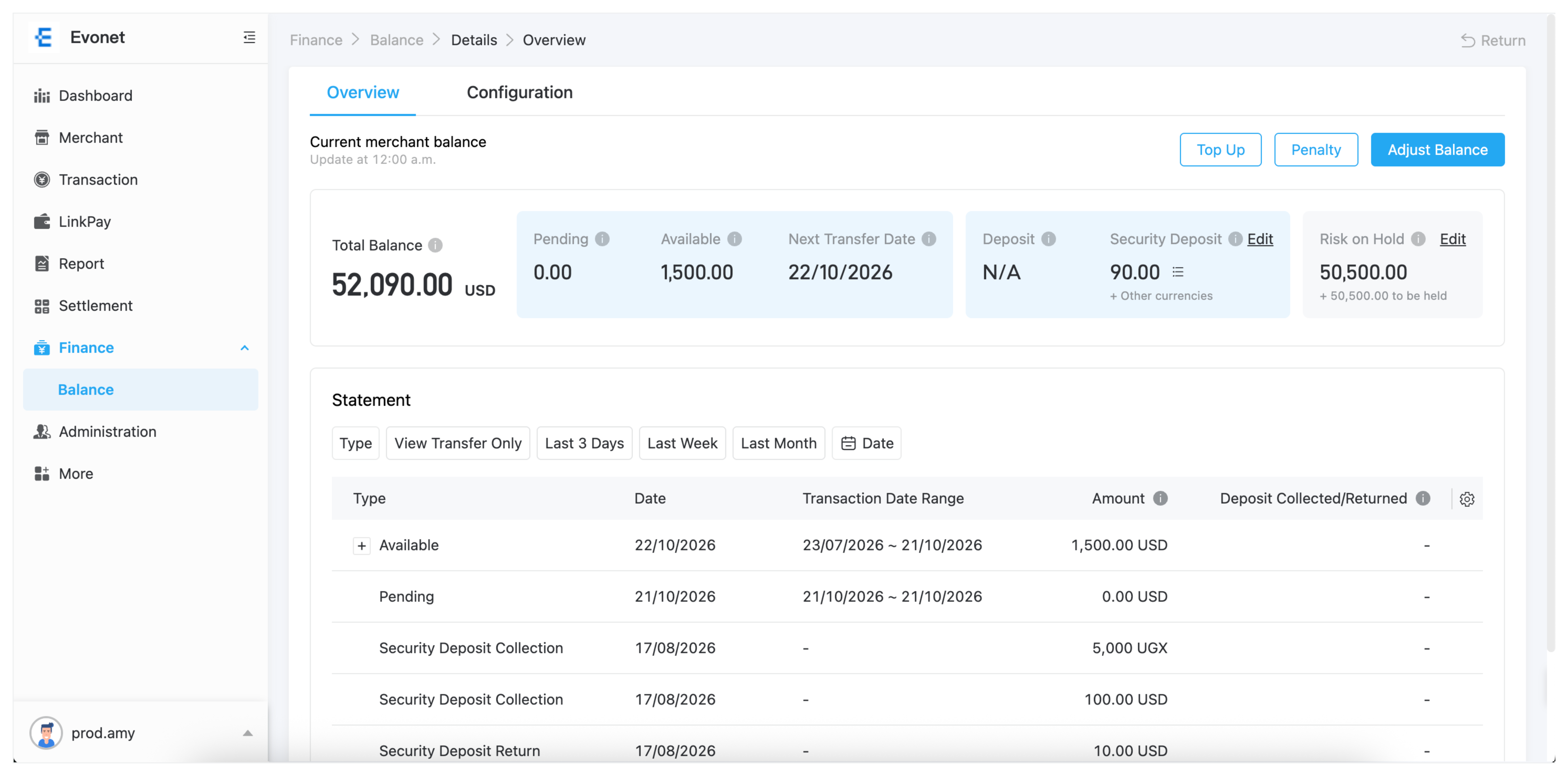
Balance Summary Cards
The top metric cards display real-time financial balances across your merchant account:
| Balance Metric | Description & Tooltip Information |
|---|---|
| Total Balance | The aggregated total balance across all active account categories. |
| Pending | The accumulated amount held for a specific period after transactions are made. |
| Available | Funds transferred to your bank account on the next transfer date. Once transferred, the available amount resets to zero and accumulates again for the next cycle. |
| Next Transfer Date | The expected date of your next automated transfer. Note: Transfers occur only when the minimum transfer threshold is met. |
| Deposit | Security deposit held based on daily settlements (applies to current settlement currency only). |
| Security Deposit | Security deposit amount held; not included in daily settlements or bank transfers. |
| Risk on Hold | Funds held based on daily risk evaluation. This amount may increase or decrease over time based on risk assessments. |
Balance Adjustments & Manual Actions
Authorized users can manage deposits, risk holds, and account balances using the top-right action controls:
A. Security Deposit Management
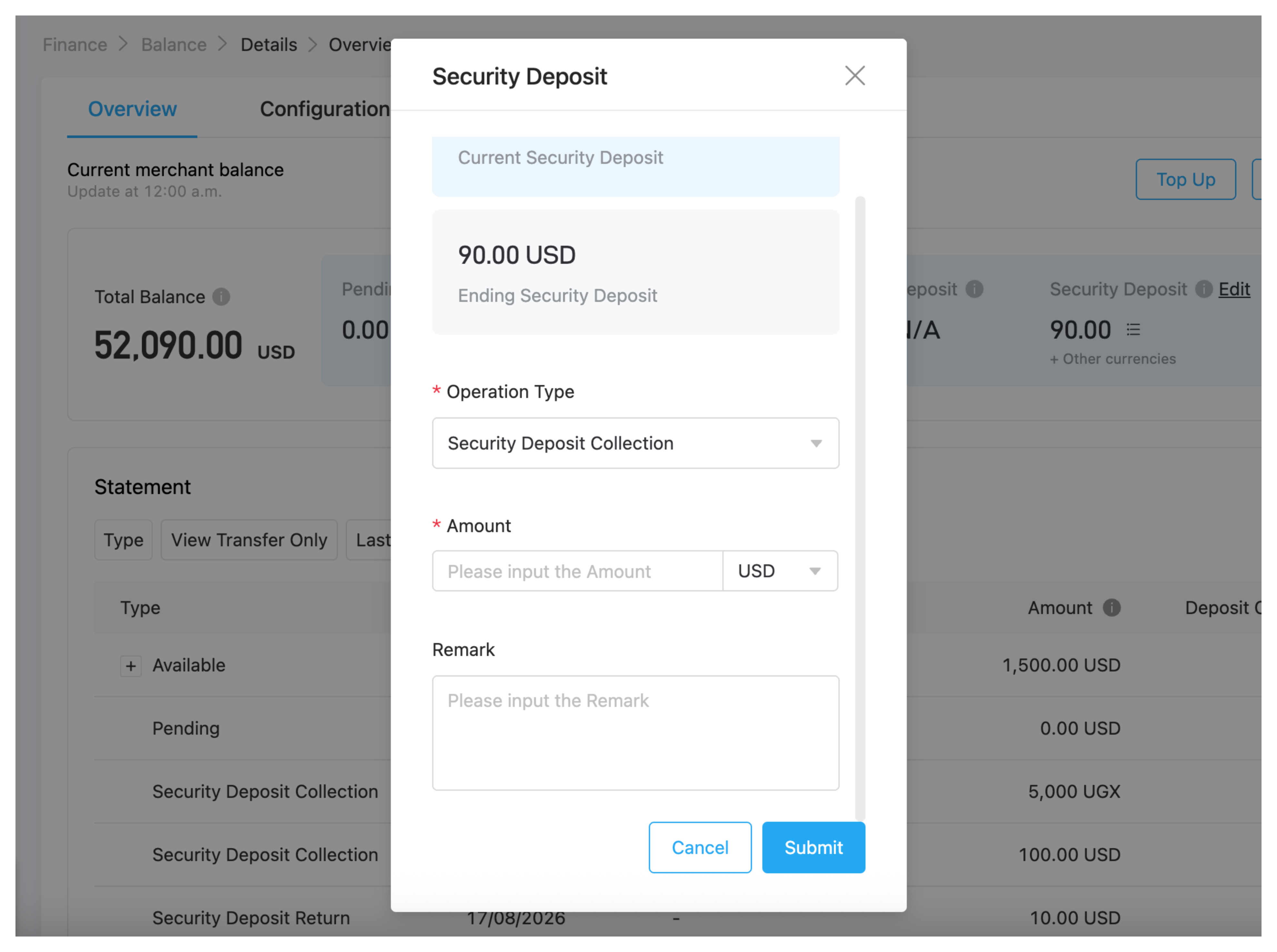
- Click the Edit icon next to Security Deposit.
- In the popup drawer, select the Operation Type:
- Security Deposit Collection: Collect additional deposit funds.
- Security Deposit Return: Release held security deposit funds back to the merchant balance.
- Enter the Amount and add a Remark explaining the adjustment.
- Click Submit.
B. Risk on Hold Management
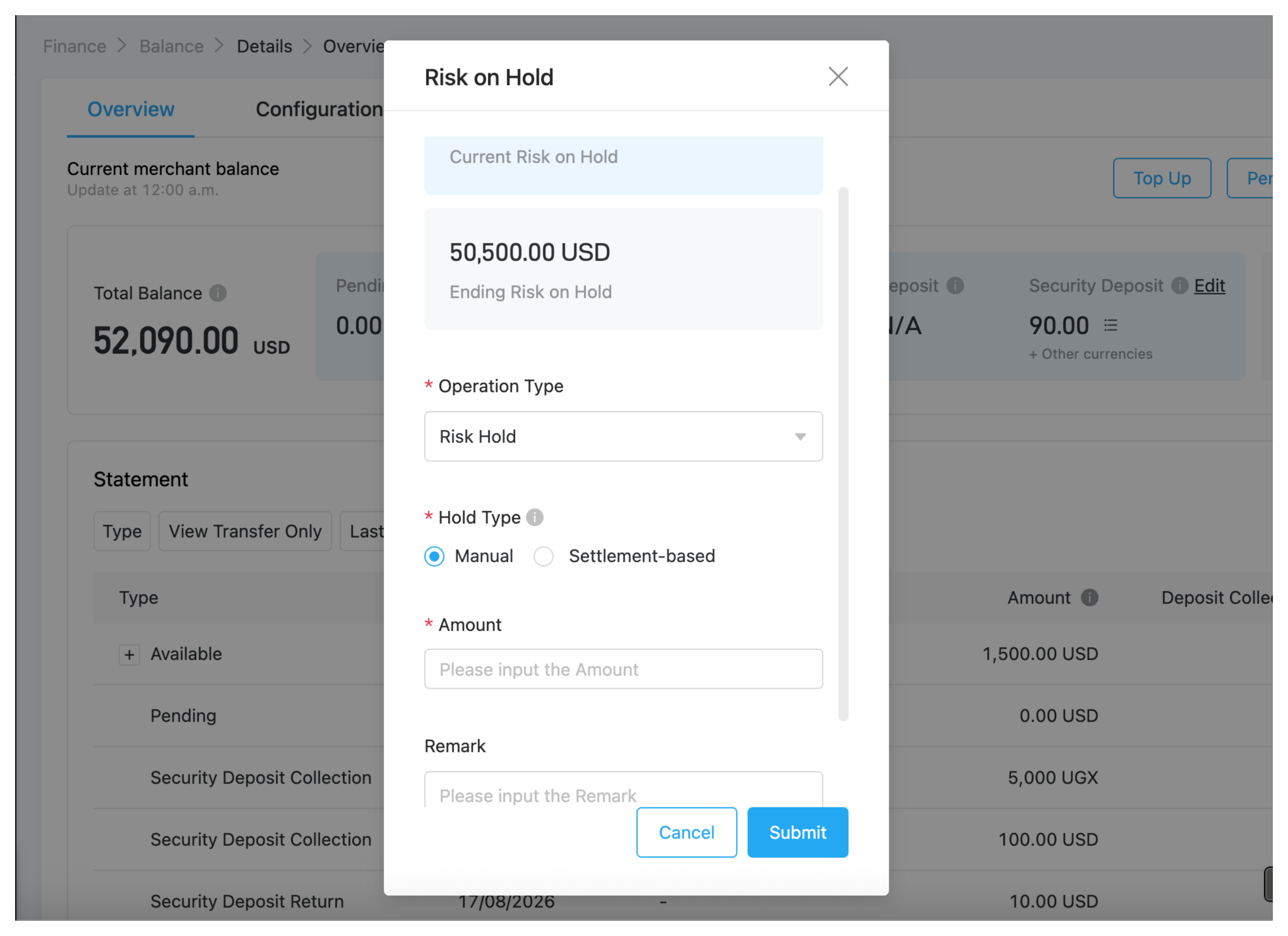
- Click the Edit icon next to Risk on Hold.
- Select the Operation Type:
- Risk Hold: Apply a manual risk hold on funds.
- Risk Release: Release held risk funds back to the active balance.
- Select the Hold Type (Manual or Settlement-based).
- Enter the Amount, enter a Remark, and click Submit.
C. Quick Balance Buttons
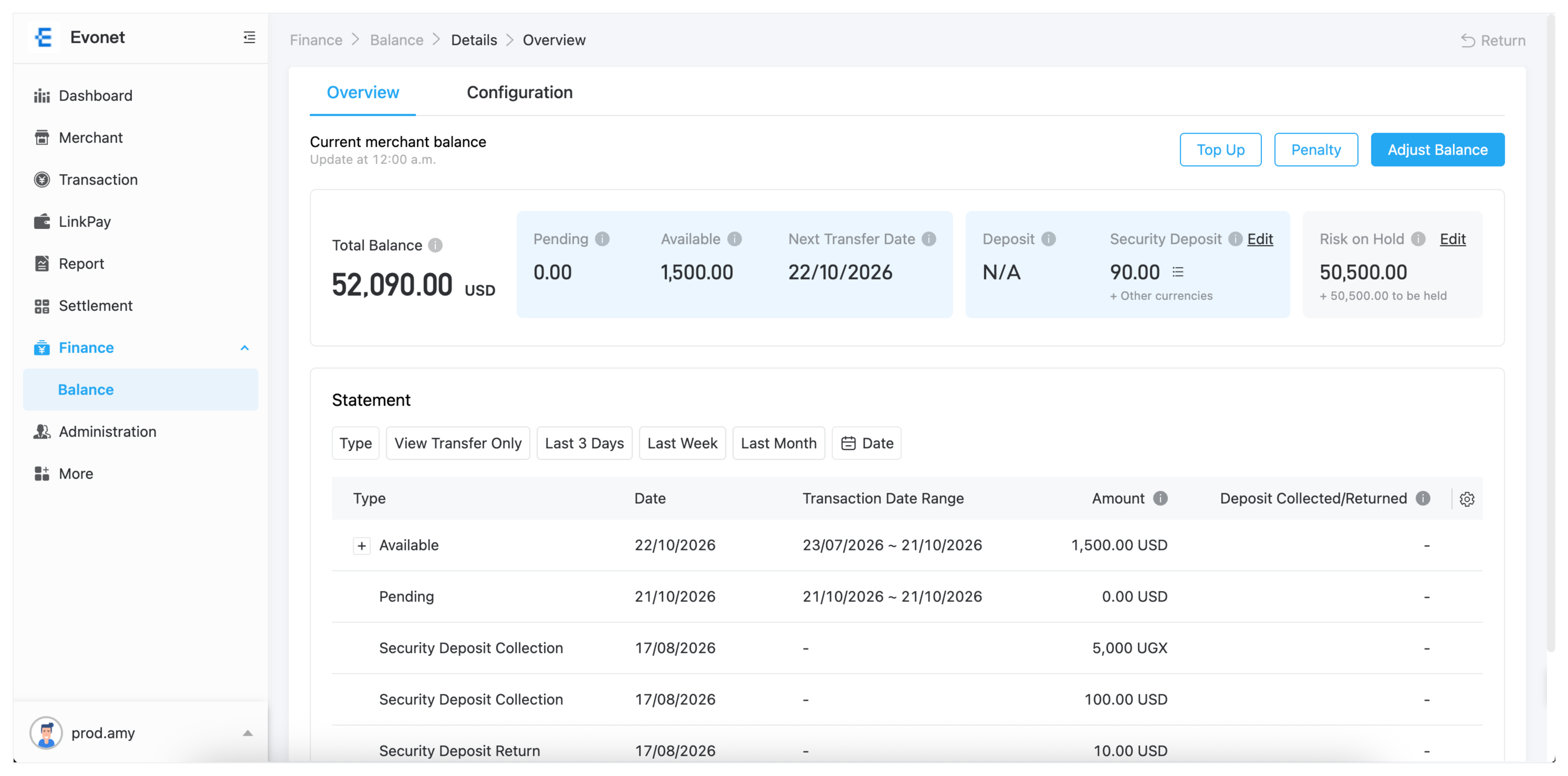
- Top Up: Add funds directly to the merchant account balance (e.g., Top Up, Penalty Payment, Security Deposit Collection).
- Penalty: Deduct funds due to policy or fee penalties.
- Adjust Balance: Perform manual balance adjustments by selecting an operation type (Top Up, Penalty, Security Deposit Collection/Return, Risk Hold/Release).
Statement Activity & Filtering
The Statement table tracks all account movements and balance changes.
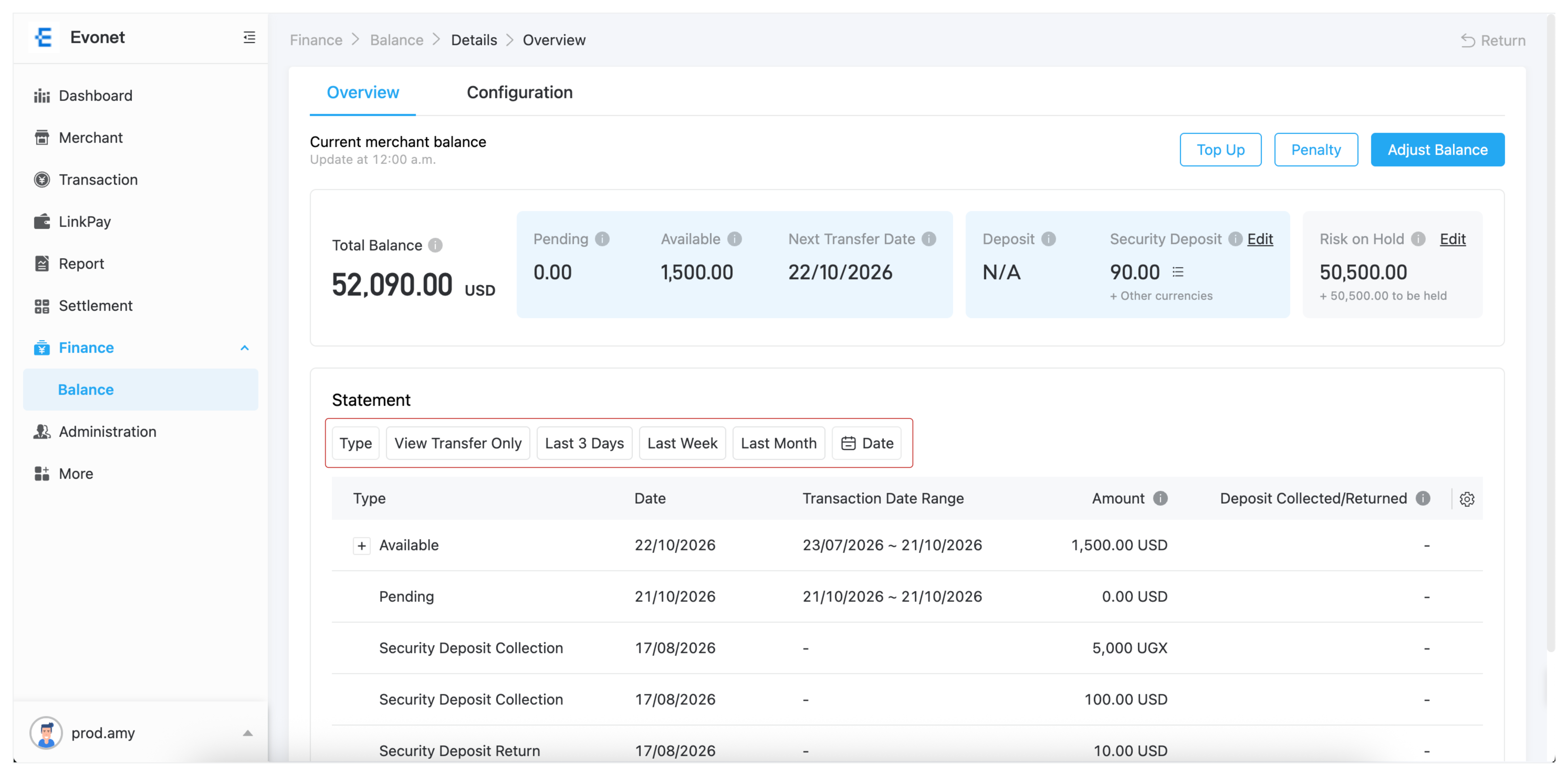
Statement Filters
Use the top filter bar to refine statement entries:
- Type: Filter by specific movement types (Transfer, Top Up, Penalty, Security Deposit, Risk Hold, Risk Release, etc.).
- Quick Date Presets: Filter records by View Transfer Only, Last 3 Days, Last Week, or Last Month.
- Date Picker: Select custom start and end date ranges.
Statement Table Columns
| Column | Tooltip & Description |
|---|---|
| Type & Transaction Date Range | Displays movement type and associated transaction date period. |
| Amount | Net daily settlement transfer amount transferred to your bank account. |
| Deposit Collected / Returned | Total deposits collected or returned. Same-day collection and return events are aggregated. |
| Others | Deductions and credits including Transaction Hold/Release, Chargebacks, Fee Adjustments, and Transfer Fees. |
| Net Change | Net change in account balance (+ indicates an increase, - indicates a decrease). |
| Ending Balance | Total account balance remaining after the balance change. |
| To Be Transferred | Amount queued for the next payout transfer. |
Updated about 4 hours ago