

Transaction Management
The Transaction Management module allows you to track, search, analyze, and manage all customer payments processing across your stores in real time.
1.1 Viewing & Searching Transactions
Navigate to Transaction → Transaction List to access your central payments record.
[IMAGE INSERTION: Transaction List Overview Page]
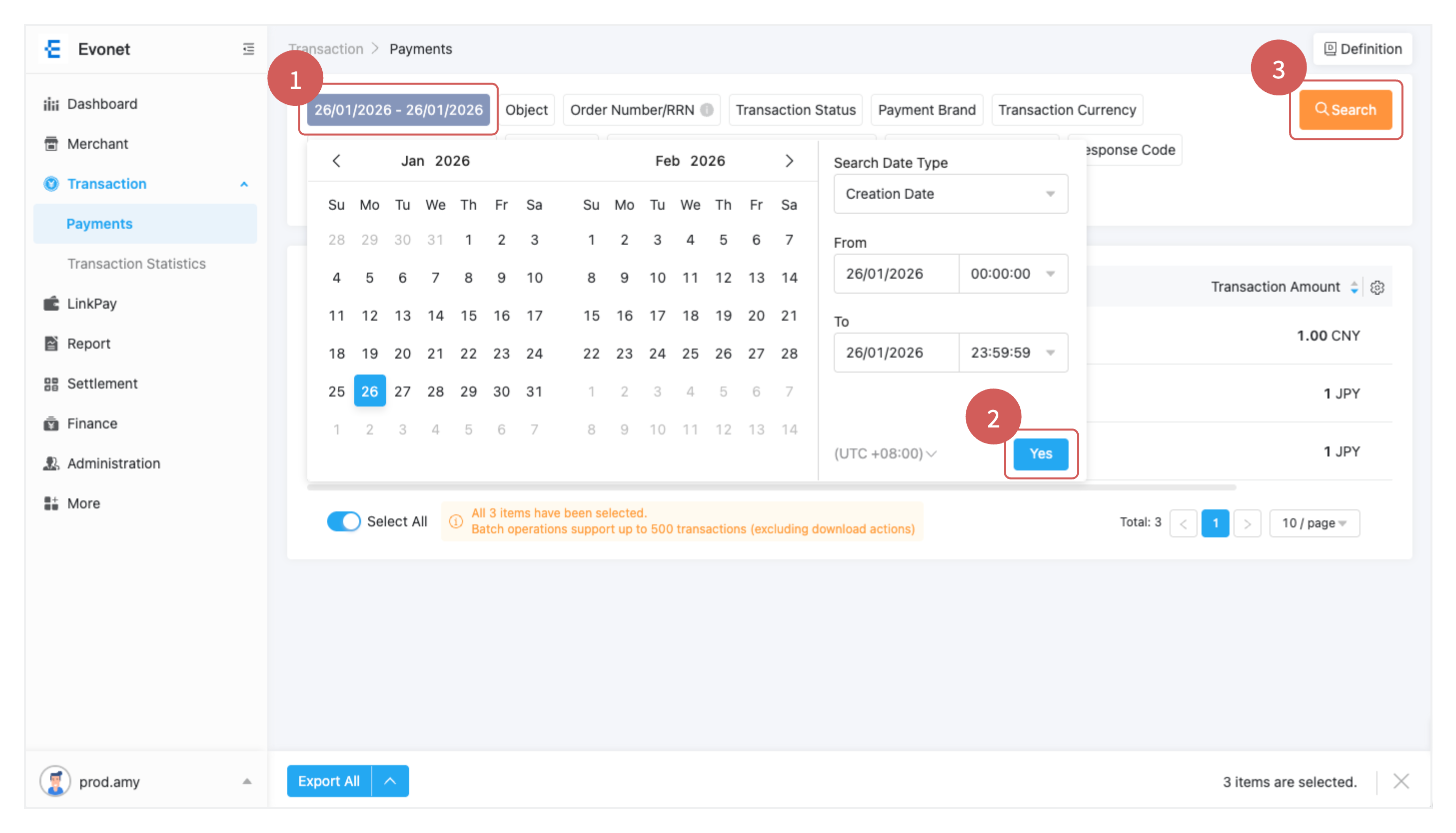
Filtering & Search Options
Use the top filter bar to quickly locate specific payment records:
- Date Range: Filter by specific dates or preset ranges (Today, Last 7 Days, Last 30 Days, Custom Range).
- Search Identifiers: Search directly using Merchant Order ID, Evonet Transaction ID, Customer Email, or Card Last 4 Digits.
- Store Selector: View payments across all stores or filter by a specific store location.
- Payment Method: Narrow results down by specific channels (Credit/Debit Card, Apple Pay, Google Pay, Local E-Wallets).
- Transaction Status: Filter records by operational state (Success, Processing, Failed, Refunded, Voided).
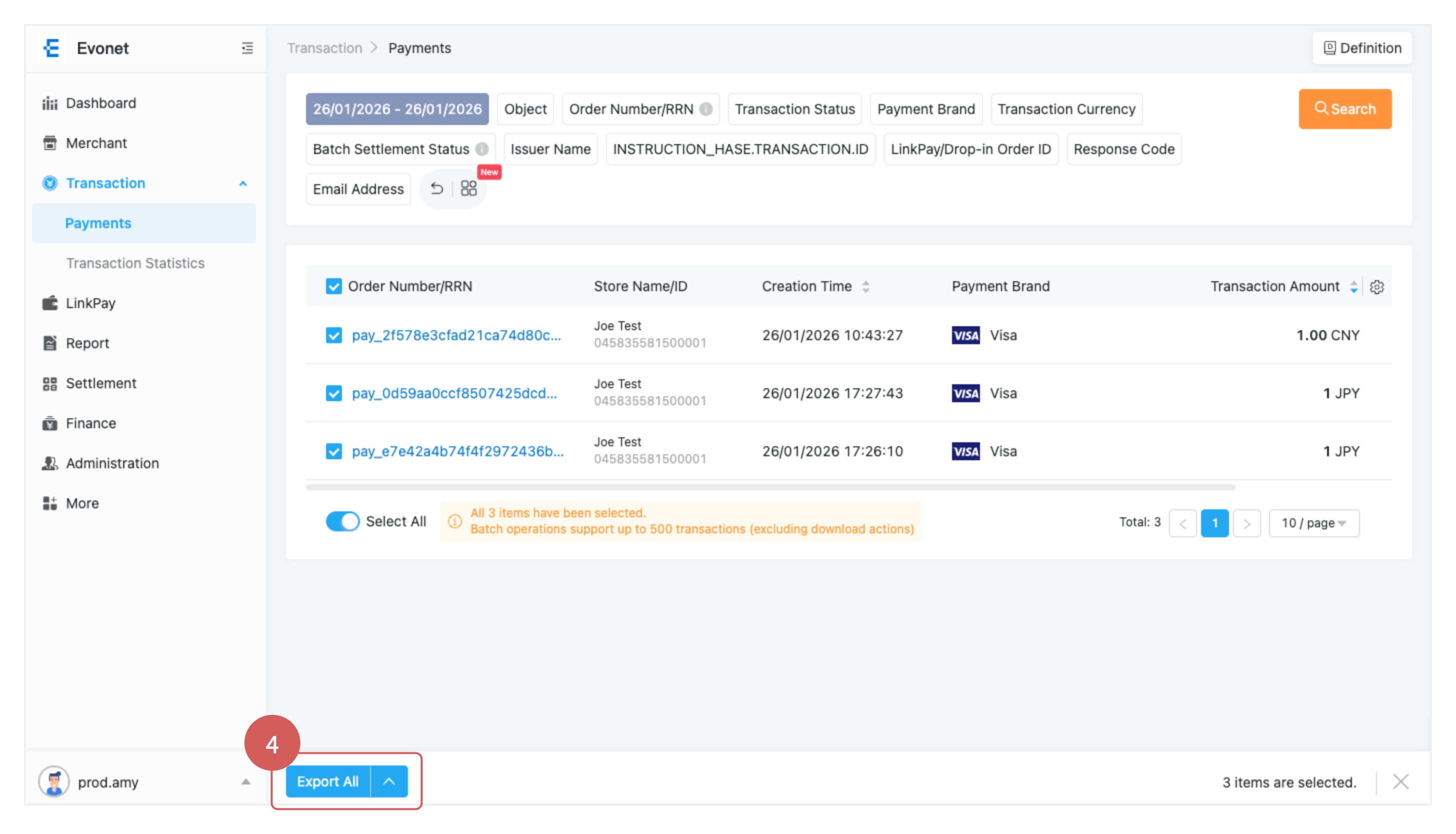
1.2 Understanding Transaction Details
Clicking on any Evonet Transaction ID or Order ID opens the comprehensive Transaction Details view.
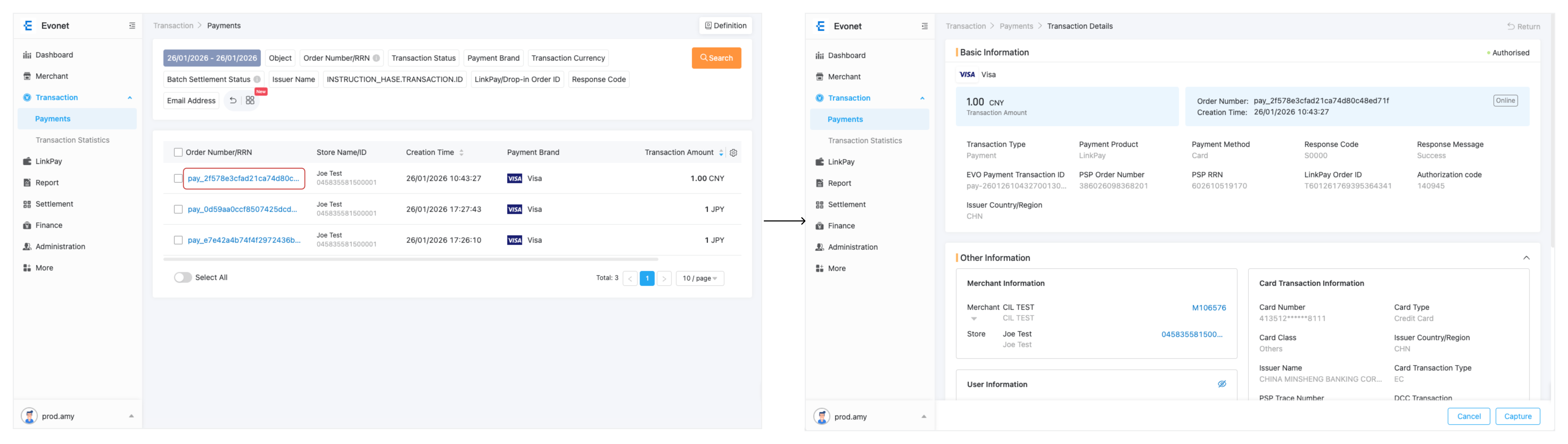
Overview Breakdown
| Section | Information Displayed |
|---|---|
| Payment Summary | Total Amount, Currency, Payment Status, Payment Method, and Creation Timestamp. |
| Identifiers | Evonet Transaction ID, Merchant Order ID, Channel Reference ID. |
| Customer Info | Customer Email, IP Address, Billing/Shipping Details. |
1.3 Transaction Status Reference
Each transaction is assigned a real-time status code to help you monitor payment lifecycles:
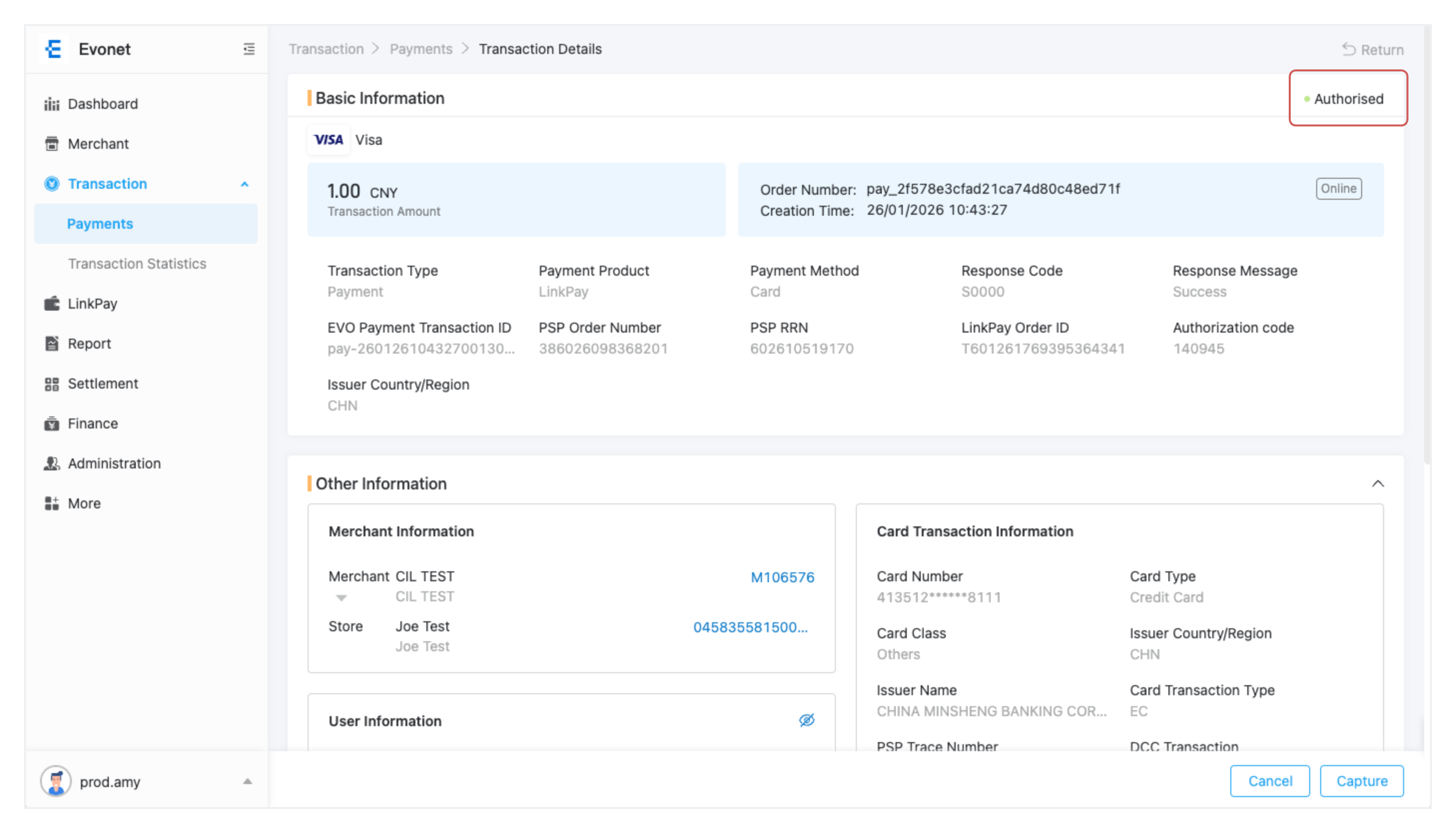
- Success / Captured: The payment was successfully authorized and captured. Funds are queued for settlement.
- Processing / Pending: The payment is underway (e.g., awaiting 3DS completion or e-wallet confirmation).
- Failed / Declined: The transaction was rejected due to insufficient funds, risk checks, or authentication failure.
- Refunded / Partially Refunded: A portion or full amount of the captured funds has been returned to the customer.
- Voided / Cancelled: An authorized payment was cancelled before final settlement.
1.4 Processing Refunds & Voids
You can issue full or partial refunds directly within the portal for settled transactions, or cancel uncaptured authorizations via Voids.
How to Issue a Refund
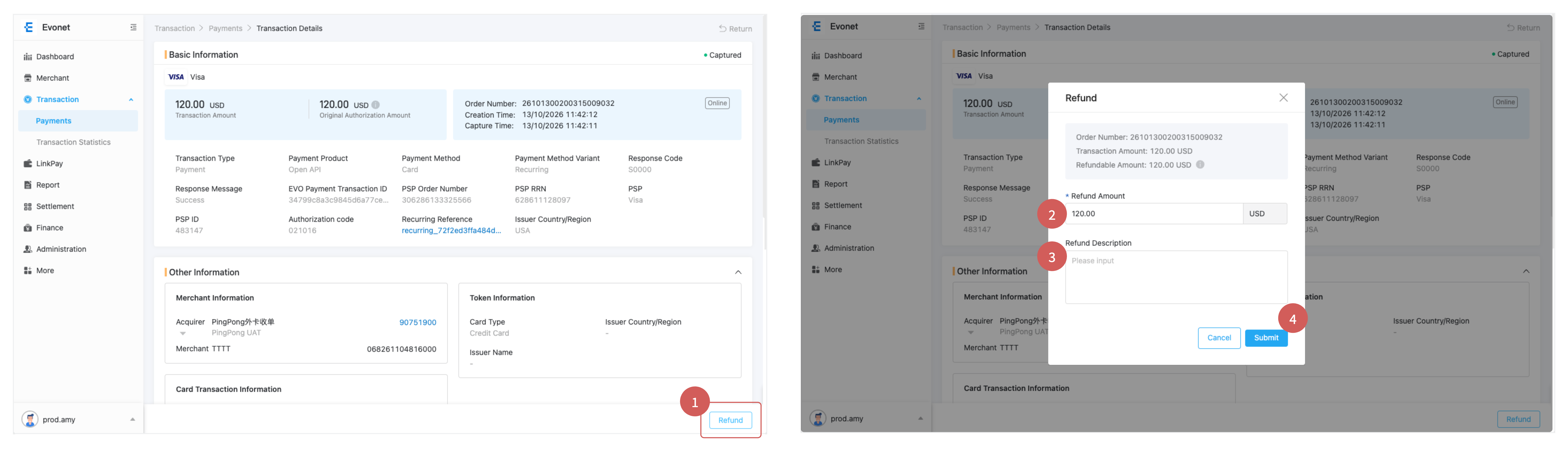
- Locate the Transaction:Go to Transaction → Transaction List and select the Success/Captured transaction you wish to refund.
-
Click Refund:
In the lower-right corner of the Transaction Details page, click the Refund button.
-
Specify Amount & Reason:
In the Refund drawer:
- Refund Type: Select Full Refund or Partial Refund.
- Amount: Enter the exact amount to return (if partial).
- Reason: Choose a reason from the dropdown (Customer Return, Duplicate Order, Fraudulent, Other).
-
Confirm Refund:
Click Confirm Refund. Processing times vary by payment channel (E-wallets usually process within 24 hours; credit cards typically take 3–5 business days).
How to Void an Authorization
If a transaction is authorized but not yet captured, you can cancel the hold on customer funds without incurring refund processing fees.
- Open the transaction details for an authorized payment.
- Click Void / Cancel Authorization.
- Confirm the action. The transaction status will immediately change to Voided.
1.5 Dispute & Chargeback Management
When a cardholder disputes a charge with their issuing bank, a dispute record is opened.
Navigate to Transaction → Disputes to track and respond to open cases.
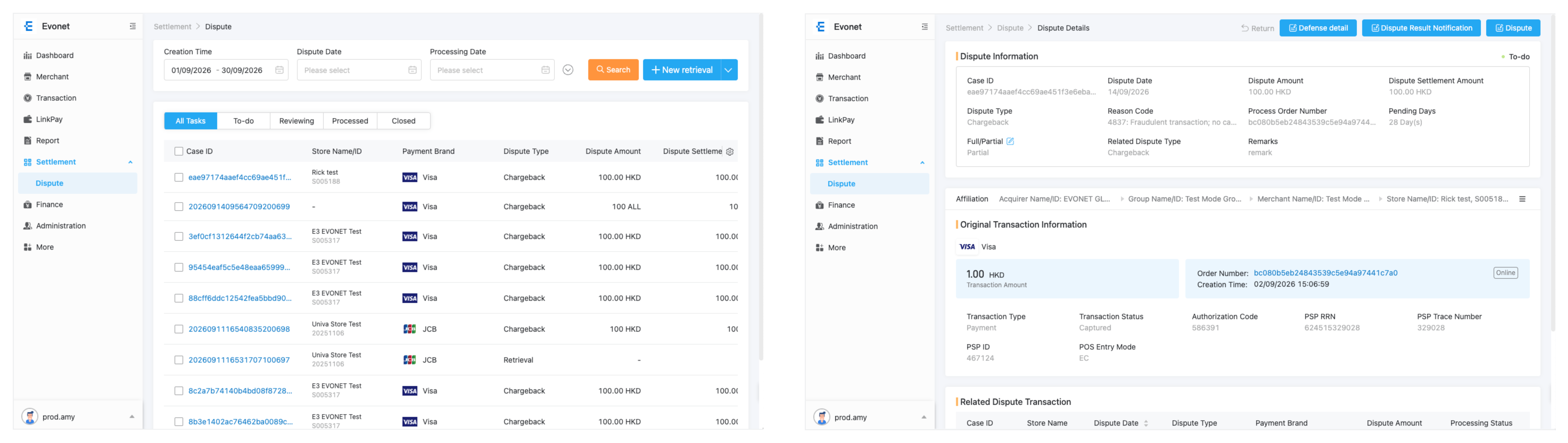
Dispute Handling Workflow
-
Receive Alert & Review Deadline:
Open the Disputes list. Review the Dispute Reason (e.g., Fraud, Product Not Received, Unrecognized Charge) and note the Evidence Due Date.
-
Gather Supporting Documentation:
Prepare evidence files (PDF, PNG, JPG) to submit to the card network. Common evidence includes:
- Proof of physical delivery or digital fulfillment receipts.
- Order confirmation emails and communication logs.
- Customer IP address logs and AVS/3DS verification match records.
-
Upload & Submit Evidence:
Click Submit Evidence on the dispute case file, attach your compiled documents, and click Submit to Network. -
Track Case Outcome:
Monitor case progress (Under Review, Won, Lost). Winning outcomes will release disputed funds back into your reconciliation report.
Updated 9 days ago