

LinkPay
Use our online checkout solution to quickly launch your business with a secure payment experience.
What is LinkPay?
LinkPay is an online payment solution featuring a hosted payment page that provides merchants with a customizable checkout experience for users to complete online payments efficiently. With a single integration, merchants can access all payment methods without storing sensitive payment data.
An initial LinkPay Payment Page is shown below.
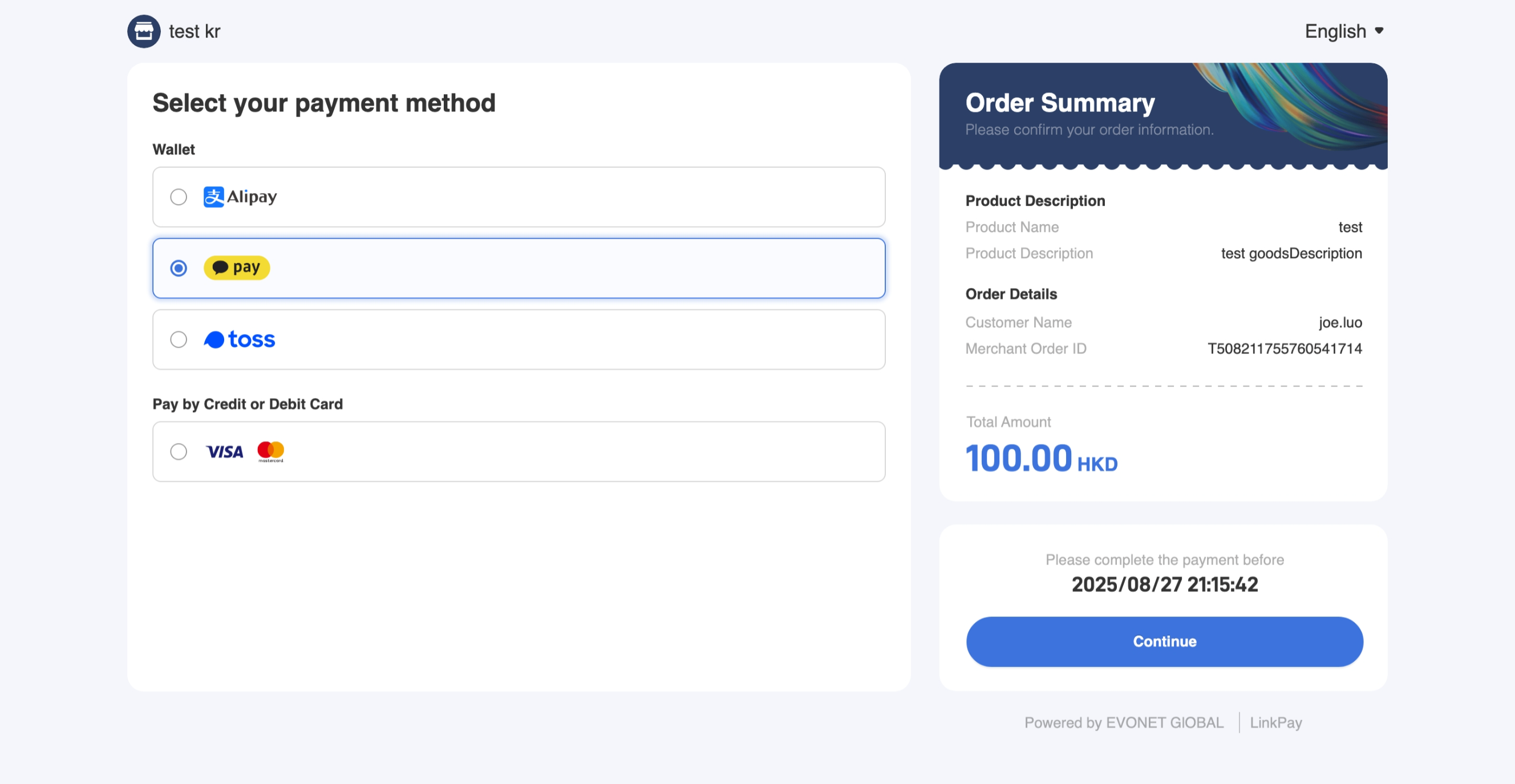
LinkPay Payment Page
Key Features
Security: LinkPay securely processes payment data, including card numbers, tokens, and other sensitive information.
Multiple Payment Methods Supported: Supports over 50 payment methods, including major Card Schemes and Local Payment Methods.
Compatibility :Seamlessly integrates with PC Web and Mobile WAP platforms.
Customization: Personalize your payment page with your brand name, logo, order expiration time, and payment link.
Integration Methods
LinkPay Payment Link (Payment Link) allows your users to choose a payment method and complete the payment. There are two ways for merchants to get a Payment Link.
LinkPay APIThe merchant integrates with Evonet via API to get a Payment Link (URL) for a user to make a payment.
LinkPay PortalThe merchant creates a Payment Link manually on Merchant Services Hub and sends it over to the user to make a payment.
LinkPay API
Applicable whenThe merchant usually has an Order Page and the user initiates the payment via the Order Page.
If the merchant uses its Order Page, where the user can take a purchasing summary, the merchant can request LinkPay API to retrieve the Payment Link to show users the checkout page for them to select a payment method and pay.
A processing flow to initiate the LinkPay API is shown below.
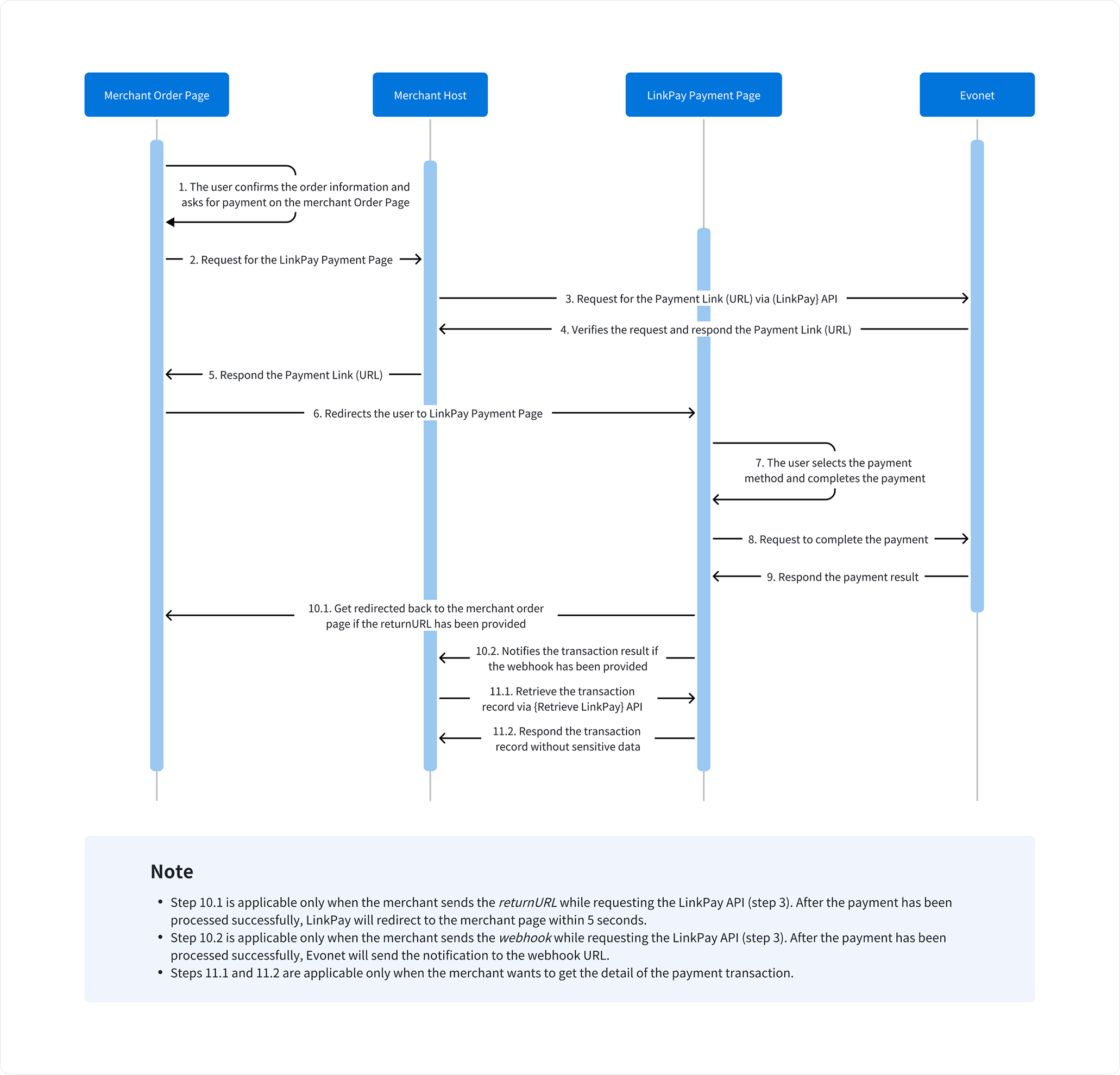
LinkPay API Processing Flow
NoteStep 10.1 is applicable only when the merchant sends the returnURL while requesting the LinkPay API (step 3). After the payment has been processed successfully, LinkPay will redirect to the merchant page within 5 seconds.
Step 10.2 is applicable only when the merchant sends the webhook while requesting the LinkPay API (step 3). After the payment has been processed successfully, Evonet will send the notification to the webhook URL.
Steps 11.1 and 11.2 are applicable only when the merchant wants to get the detail of the payment transaction.
Follow the below chapter to step-by-step learn how to receive a Payment Link by LinkPay API.
LinkPay Portal
Applicable whenThe merchant doesn't have an Order Page and wants to bill the user easily without system integration.
The merchant can also create a Payment Link via Merchant Services Hub, which can enable the merchant and user to complete the online payment without any system and technology involved.
The merchant can enter the transaction information on Merchant Services Hub and send the Payment Link to the user through email or SMS.
The merchant can access Merchant Services Hub to inquire about the transaction status and details.
A processing flow for LinkPay initiated via Merchant Services Hub is shown below.
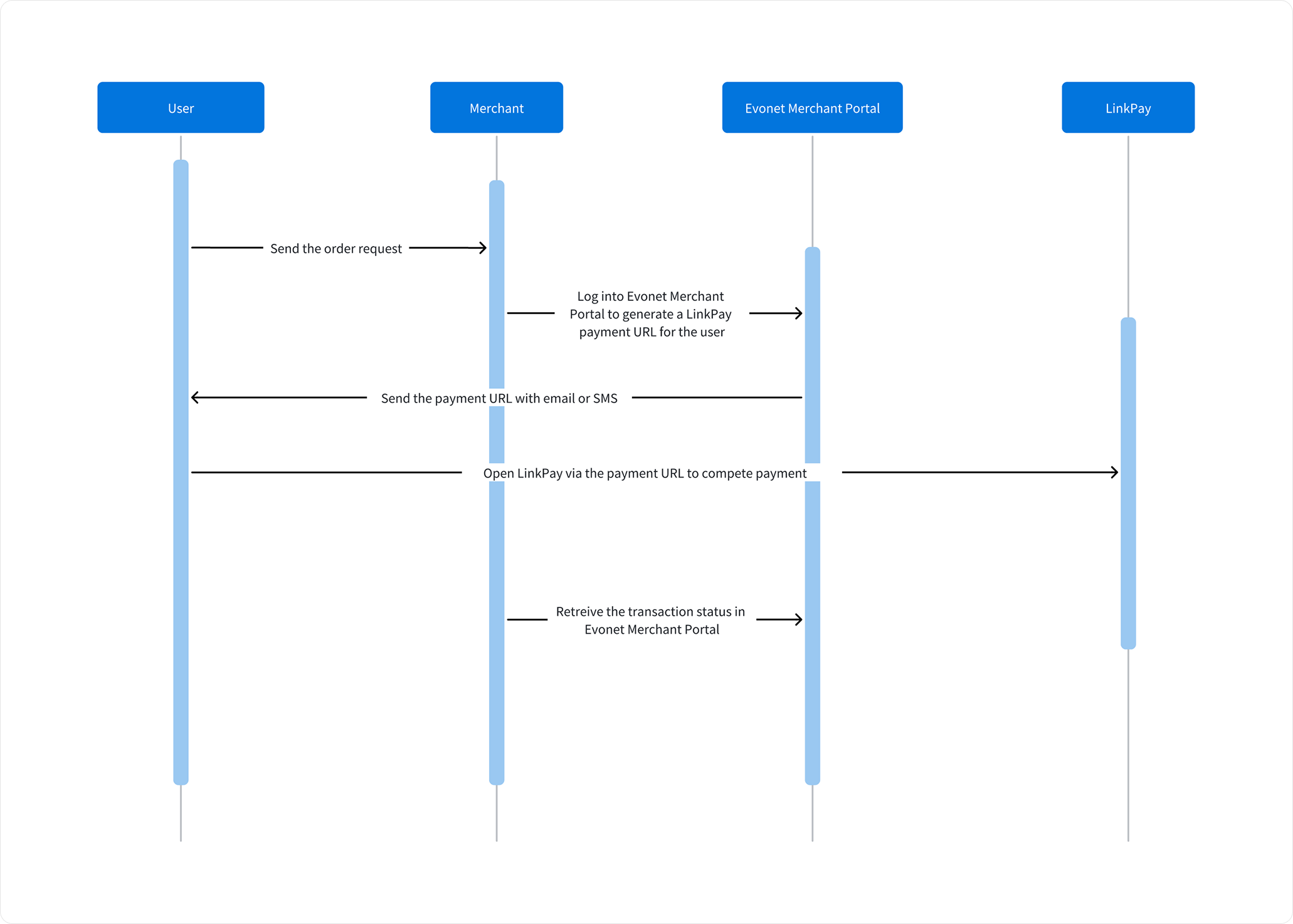
LinkPay on Merchant Services Hub Processing Flow
Follow the below chapter to step-by-step learn how to create a Payment Link on Merchant Services Hub.
Updated 3 months ago